
Q4 is almost here.
And you know what that means…?
Well, if you’ve been in the custom apparel or product customization business for a while, you already know!
Things are about to get BUSY. Really busy.
And if there’s one thing last year (or any other holiday season before that) taught us, it’s THIS:
Q4 can bring in a flood of orders.
And with them, a whole lot more pressure to get everything out the door on time.
At first, you’ll probably think you’ve got it under control.
After all, you’ve done this before.
You’ll work a little faster. Your team will put in a few extra hours. You’ll move things around and somehow squeeze one more job into an already packed schedule.
You’ll do what you have to do! No biggie.
And then one day, you’ll look at your schedule and realize there’s simply NO WAY to get everything produced and shipped on time with the setup you have.
Now you’re looking at a growing pile of orders, deadlines that aren’t getting any further away, and a production schedule with nowhere left to squeeze anything in.
That’s Q4.
The busiest season doesn’t just bring more sales. It puts your entire production operation to the test.
And by the time you realize you’ve hit your limits, it’s already too late to prepare.
That’s why the time to think about production capacity is NOW.
Because once Q4 is in full swing, you won’t have much time to figure out what’s slowing you down or where you can find more capacity.
But hey, there’s good news, too. (there always is, right?)
There are a few relatively simple things you can do BEFORE Q4 hits that can give you considerably more breathing room when the orders start piling up.
Let’s look at what they are.
Why Holiday Printing Production Planning Needs to Start Early
We take it you’ve been through Q4 before. Which means you probably already know what’s coming.
A few months have passed, though, so let’s jog your memory.
Take yourself back to last Q4. The busiest time of the year. Orders coming in faster than usual. Customers asking when their stuff will ship. Your team trying to keep up.
(And if that wasn’t your Q4 last year, play along for a minute.)
And remember all those little things you thought you’d have plenty of time to figure out?
Yeah. Those things!
Like taking photos of all your products. Getting them uploaded to your website. Figuring out packaging. Ordering boxes, stickers, thank-you cards… all the little stuff that somehow becomes VERY important when you’re trying to get hundreds of orders out the door.
Maybe you were doing physical events or trade shows, too. In which case, you had a whole other set of problems to solve.
Which products and sizes should you bring? How many of each? How are you going to display everything so people can actually see it?
What about signs, price tags, tablecloths, displays, bags, and packaging?
A lot of little things, right?
And that’s the thing about getting ready for Q4. There’s a lot more to it than meets the eye.
There’s a whole lot of stuff that has to happen BEFORE you start making money with all those holiday orders.
And we haven’t even gotten to the production side yet.
Before you can start producing at scale, you have to figure out what equipment actually makes sense for your business. Then you need to figure out where it’s going to go, get it installed, learn how to use it, and train your team.
But you’re not done there.
You also need to work out how artwork gets prepared, printed, transferred, and turned into a finished product. Make sure you’ve got enough blanks, ink, film, powder, and whatever other consumables your setup requires.
And then, ideally, run enough jobs through the whole thing.
Not just one or two.
Enough to figure out what works, what doesn’t, where things get held up, and how many finished products your team can realistically get out the door in a day.
You need to know whether everything actually works together from start to finish. And that’s something you probably don’t want to figure out for the first time in the middle of Q4.
Because Q4 is not the time to be learning how your new production system works.
And it’s definitely not the time to find out that the process you thought would handle 100 orders a day actually starts falling apart at 50.
By then, you’re not testing your production system anymore.
You’re betting your holiday sales on it.
That’s why holiday production planning needs to start earlier than you think. The goal isn’t simply to have your equipment installed before the holiday rush. The goal is to have your entire production process tested, your team trained, your workflow proven, and your capacity understood before the rush begins.
So when Q4 arrives, you’re not figuring things out.
You’re producing.
Start by Understanding Your Current Production Capacity
Okay.
So we’ve established that you don’t want to be figuring out your production process and capacity when Q4 is already breathing down your neck.
But let’s not get ahead of ourselves here.
Before you start thinking about that shiny new equipment, hiring three more people, tearing apart your production floor, or completely reworking your workflow that’s been working just fine for the rest of the year, you need to know whether you ACTUALLY need to do any of that.
And there are several ways to figure that out.
But all of them start with the same thing:
Taking a good, hard look at what you’re ALREADY working with.
So, let’s do that. And be honest with yourself here.
Don’t use your best day. Don’t use the number your equipment should be able to produce. Use what you can actually get out the door on a normal production day.
Ask yourself a few simple questions:
- How many orders can we realistically produce per day with our current setup?
- How many transfers or finished garments can we produce per hour?
- What happens if holiday volume increases significantly?
- Where does production currently slow down?
- How much labor is required per order?
- Are we turning away certain types or quantities of jobs?
- Are we dependent on outsourced transfers and their turnaround times?
- Can our current process handle short-run and high-volume orders simultaneously?
And that’s your quick Q4 production diagnostic.
Now, take a look at your answers.
What are they telling you? What did you learn?
Maybe you’ve got more capacity than you thought. Maybe you’re closer to your limit than you’d like. Or maybe the real problem isn’t your overall capacity at all.
It’s one particular part of the process that’s slowing everything else down.
That’s what you’re looking for.
Now, you don’t need to have all the answers figured out yet. You’re just trying to get an honest picture of where you are today.
Because that’s what you’ll use to decide what, if anything, needs to change before Q4.
Identify Your Holiday Production Bottlenecks Before They Cost You Orders
Now that you’ve got a better idea of your overall production capacity, it’s time to dig a little deeper.
You’ve probably heard the old saying: a chain is only as strong as its weakest link.
Well, the same is true of your production process.
You might have plenty of capacity in one area, but if there’s a bottleneck somewhere else, it can SLOW DOWN everything that comes after it.
So how do you know if you have a bottleneck?
And more importantly…
Where should you even look for one?
Start by looking at each stage of your production process individually.
One at a time:
Printing Capacity
We’ve already talked about printing capacity in the previous sections.
But we’re going to come back to it again here.
And there’s a reason for that.
Your printer may be one of the BIGGEST bottlenecks in your production process.
Take a look at how it’s performing.
- Is it already running at or near full capacity?
- What happens if your order volume suddenly jumps 30%... 50%... or more?
- Can it handle a significant increase in orders?
If the answer is no (and your printer is already working flat-out), you’ve probably found one of your bottlenecks.
And it’s better to find that out now, than when you’re staring at a pile of holiday orders you can’t get through.
Manually Cutting Transfers
What about cutting?
If you’re manually cutting transfers, how much time is your team spending on it?
It might not seem like a big deal when your order volume is normal.
But when you’re dealing with a much higher volume of orders, all that cutting time can add up.
Staffing
Next, look at your staffing.
Do you have enough people to handle the additional workload?
And more importantly, do you have enough people in the places where you actually need them?
Adding more people won’t necessarily solve the problem if the bottleneck is somewhere else.
You’ll just have three more people standing around waiting for something to do.
Artwork Preparation
And don’t forget about artwork preparation.
Are orders sitting around waiting for artwork to be prepared or approved before they can move into production?
If so, you may have found another bottleneck.
Material Availability
Then there’s material availability.
Do you have enough garments, transfer film, ink, powder, packaging, and other supplies to handle the increase in orders?
Because running out of one important material can bring an entire job to a stop.
And during Q4, waiting for a restock can be especially painful.
Outsourcing
And finally, look at anything you’re outsourcing.
If you’re relying on someone else for transfers or another part of your production process, their turnaround time becomes part of your production timeline, too.
It’s that simple.
If your supplier takes three days to get something back to you, you can’t plan your production as though you already have it in your hands.
There you go! Just a few things to look at as you go through your own production process.
Hopefully, they give you a few clues about where things might start to slow down once your order volume picks up.
And the earlier you spot those problem areas, the more time you’ll have to do something about them before the holiday season begins.
Choosing DTF Equipment Based on the Production You Actually Need
Where do we go from here?
Well, now we get to the FUN part!
The next step is pretty obvious in and of itself: it’s time to find a DTF printer that can handle the workload coming your way this holiday season (and, for that matter, the rest of the year!).
But which one?
Well… let’s look at the actual choices in front of you.
Now, we don’t know if you’re familiar with our lineup or not, but here at ColDesi, we carry six commercial DTF printer and dryer solutions.
Each is built around a different level of production and, frankly, a different kind of business.
And when you put them side by side, you start to see just how DIFFERENT they really are.
Some systems are designed to make more sense for businesses bringing DTF production in-house for the first time.
Others are built for businesses that have already reached a level of production where speed, capacity, and workflow become much bigger considerations.
And then there are systems designed for businesses operating at an even higher volume, where the question isn’t simply whether you can produce the transfers you need, but how efficiently you can keep up with the demand.
So, let’s take a look at all six systems.
We’ll start with the lower-volume production options and work our way up, looking at what each machine is built to do, where it fits in the lineup, and the kind of production it makes sense for.
Let’s start with the first one.
ColDesi DTF 12H2
(Best For: Startups & Home-Based Businesses)
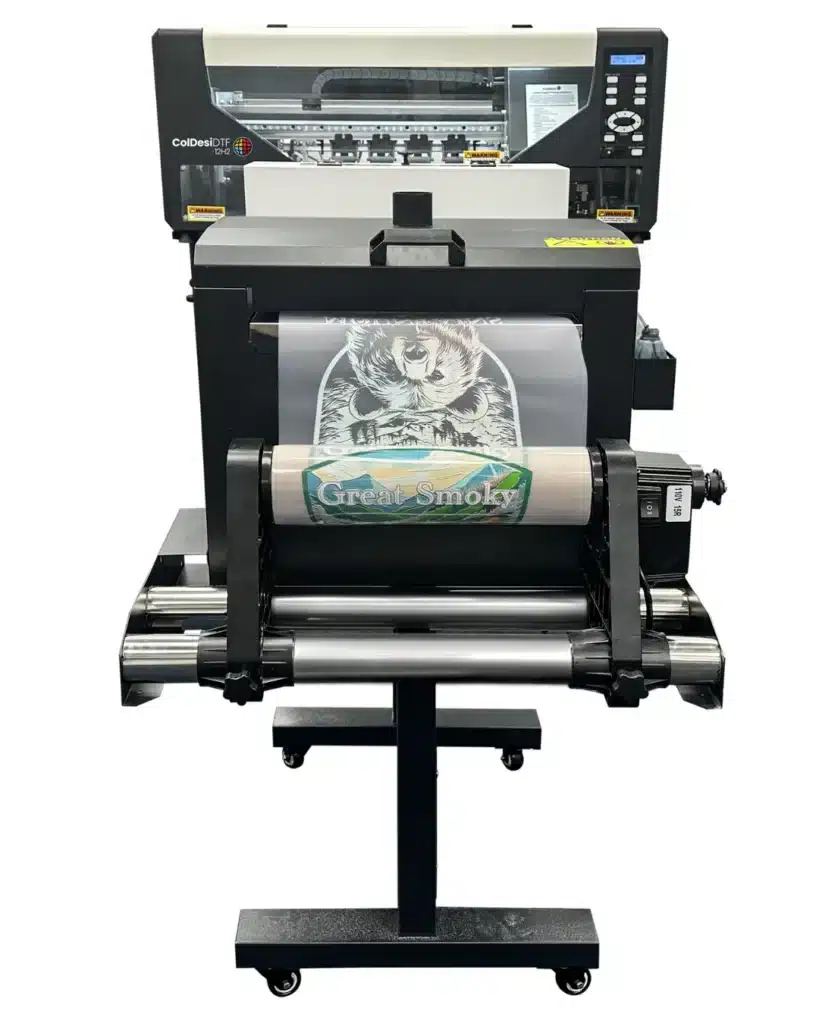
Not everyone needs a large production machine, would you agree?
In fact, if you’re just getting started with DTF printing, buying more printer than you need can end up costing you money without adding much value.
That’s exactly where the new and upgraded DTF 12H2 comes in.
The 12H2 is designed for startups, side hustlers, home-based businesses, shops with limited space, and anyone looking for an affordable way to get into DTF printing without making a massive upfront investment.
It gives you the ability to create professional-quality DTF transfers while keeping your equipment costs manageable.
For many customers, it’s the perfect first step into the world of DTF printing.
And as your business grows, you can always move up to a larger machine with greater production capacity.
What Makes the DTF 12H2 Unique?
For starters, it comes in two different configurations, The Basic Starter Package ($7,995), and the Standard Package ($9,995). Both feature the exact same printer and include the printer stand.
The core difference lies entirely in the additional equipment bundled with each package.
For the price, it’s hard to find a DTF printer that will do more. To give you a high-level overview of its features and technical specifications.
From a visual standpoint, it’s the smallest printer in the ColDesi lineup. All things combined, it measures in at just 39.5″ x 65″, and can easily fit through a standard shop doorway (something you can’t always say about its bigger brothers (a.k.a. our flagship models).
Now, just because it’s the smallest in the range, doesn’t mean that it compromises on function or experience. While it is a more ‘’trimmed down’’ version of those models, it still packs a punch with its print speed of around fifty 8”x10” transfers an hour, dual print head, and a generous 12’’ wide print field.
We’re talking full-color transfers that can be applied to a wide variety of garments with as little as a 10-second initial press time.
If you choose the Basic Starter Package, things get even more compact since the package does not include the shaker/dryer unit found in the Standard package. As a result, the footprint is significantly smaller, with the printer itself measuring just 28.5″ x 39.75″ and weighing only 165.4 lbs.
It’s small enough for a desk and, again, slim enough to fit through a standard doorway. So, perfect for home offices, small shops, or tight spaces.
Plus, it comes with an optional stand for those who want a dedicated workspace.
The 12H2 is also quiet, runs on a standard 110V outlet, and arrives fully assembled. Combined with the included training, it makes getting started much less intimidating for first-time users.
And did we forget to mention that another standout feature of the upgraded DTF 12H2 is its expanded color system? Yes, by adding Orange and Green inks to the standard color set, the printer can now produce a 27% wider color range and approximately 100,000 more printable colors. That translates into smoother gradients, richer colors, and more vibrant, eye-catching transfers.
And that’s really what makes the DTF 12H2 unique.
Its size, simplicity, and ease of use make it a true desktop DTF printer. One that’s designed to help new businesses get started, learn the process, and begin generating revenue before making the jump to larger equipment.
ColDesi DTF 19H2
(Best For: Growing Businesses Ready for More Capacity)
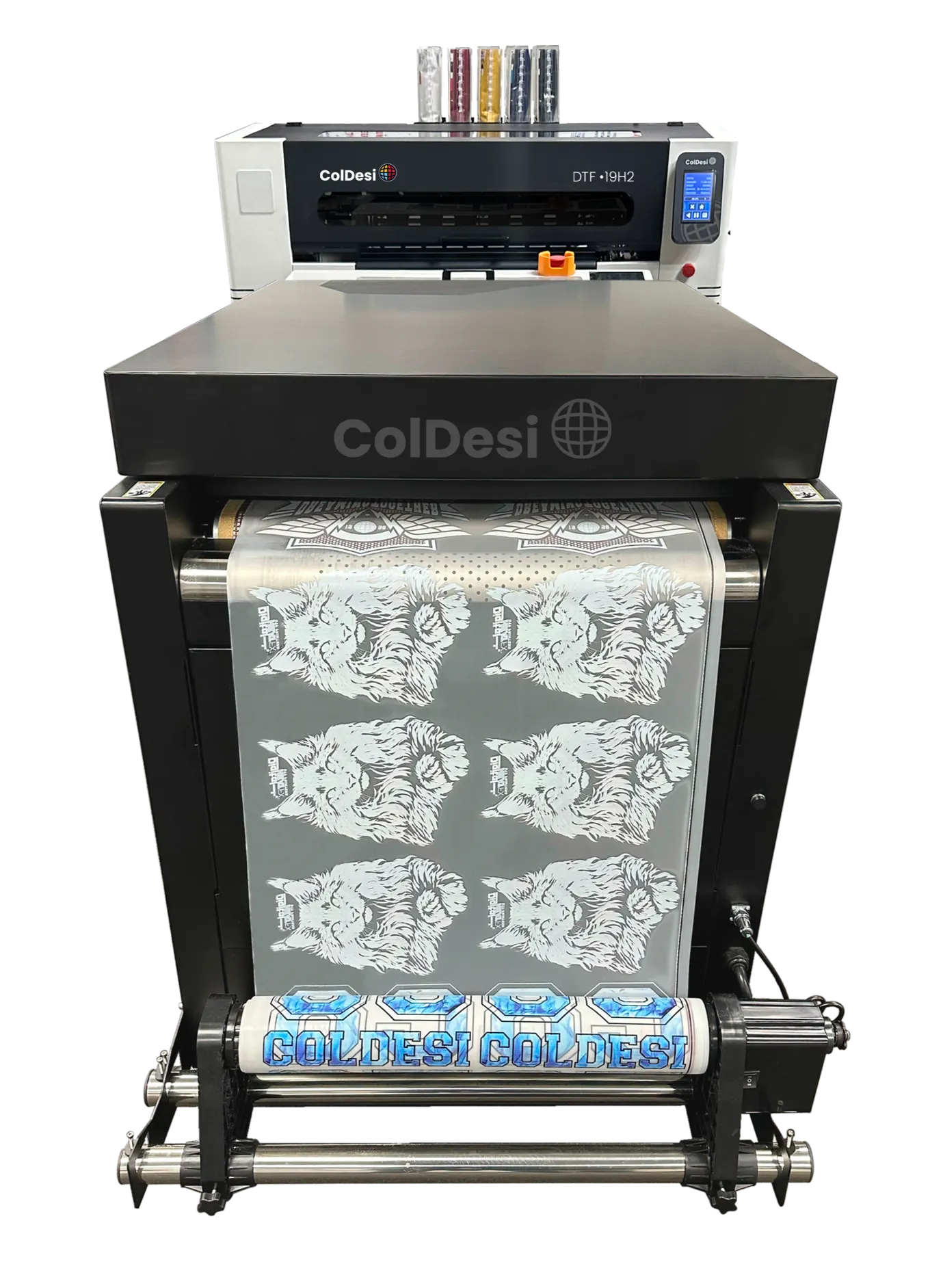
What if the 12H2 feels a little too small, but you’re not quite ready for a large production system?
That’s exactly where the DTF 19H2 comes in as a solution. In fact, it may be the machine you’ve been looking for all along.
As the newest addition to the ColDesi DTF lineup, the 19H2 was designed to fill the gap between entry-level DTF printing and larger production equipment.
It offers both more print width and more speed than the 12H2, while still maintaining a footprint that’s practical for many small and mid-sized shops.
For businesses that have moved beyond the startup phase and are looking to increase output without making the jump to a full-scale production machine just yet, the 19H2 often hits the sweet spot between size, performance, practicality, and investment.
So, what do you actually get with the DTF 19H2?
Quite a bit, actually.
For starters, you get a generous 19-inch print width, giving you more room to fit larger graphics and gang multiple designs together on a single sheet. That means less wasted film and more productivity from every print run.
It may seem like a small upgrade on paper, but when you’re trying to squeeze a few more transfers onto each sheet, those extra inches start paying for themselves.
Under the hood, you’ll find two Epson i1600 print heads working together to deliver fast, consistent output. The result is production speeds of around fifty 8″ x 10″ transfers per hour, making it well-suited for growing businesses with increasing order volumes.
The 19H2 also features an automatic tension (dancer) system that helps keep the film feeding smoothly throughout the printing process. It’s one of those features you may not think about at first, but after you’ve dealt with a few feeding issues, you quickly realize just how valuable it is.
This system plays an important role in maintaining consistent print quality and reducing the chances of feeding issues during longer print runs.
And despite the added capability, the 19H2 remains surprisingly manageable from a space standpoint. The complete system has a footprint of approximately 48″ x 108″, allowing it to fit comfortably into many small and mid-sized production environments.
It’s also worth noting that the complete system weighs roughly around 800-900 lbs. That’s not unusual for commercial printing equipment, but it’s probably not something you and a friend are carrying into the shop on a Saturday afternoon.
So it’s something you’ll want to think ahead about before delivery day.
Another nice bonus? Like the 12H2, the 19H2 runs on standard 110V power and requires a 20A circuit. In other words, you won’t need specialized electrical work just to get the printer installed and running.
In many ways, that’s what makes the 19H2 so appealing. It delivers more print width, more production capacity, and more efficiency without dramatically increasing the space or infrastructure requirements.
For additional peace of mind, the printer also comes backed by a one-year warranty, including six months of coverage on the print heads.
In many ways, it’s the printer customers graduate to when they’ve proven their business model and are ready for the next step.
ColDesi DTF 24H2
(Best For: Established Commercial Production)
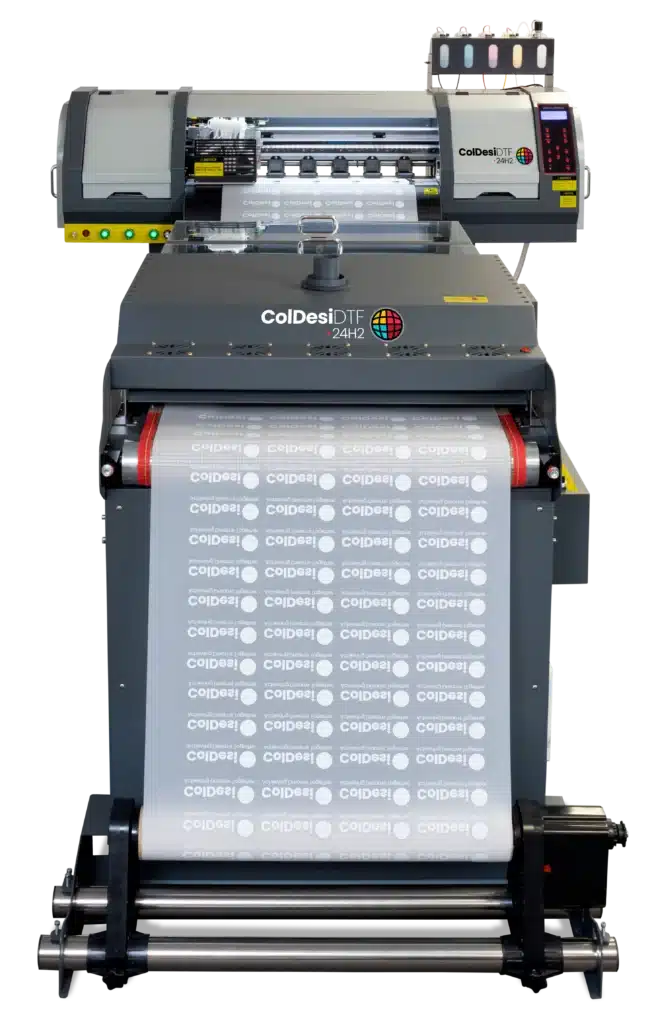
If the 12H2 gets you started and the 19H2 helps you grow, the 24H2 is built for businesses that have already proven there’s demand for what they sell and simply need equipment that can help them produce more.
It’s a great fit for apparel decorators, custom product businesses, and print shops with a steady flow of orders. Compared to the smaller H2 models, it offers more print width, more speed, and higher output, making it a natural next step for growing businesses.
So, what makes it different?
For starters, you get a generous 24-inch print width, giving you even more room to gang transfers together and maximize every inch of film. It might not sound like much on paper, but if you’ve been in the DTF business for any length of time, you already know that fitting just a few more graphics onto each run can make a meaningful difference in both material costs and overall productivity.
The 24H2 is powered by two Epson i3200 print heads. Compared to the smaller 12H2, they offer higher print resolution, improved ink management, and faster production speeds. They’re also designed for the demands of higher-volume printing, making them a solid choice for businesses producing transfers day after day.
Production is another area where the 24H2 pulls ahead. It can print around 45 to 55 linear feet per hour, or roughly 100 standard 8″ × 10″ transfers in the same amount of time. That makes it well suited for shops handling larger orders, repeat customers, or simply a heavier day-to-day workload.
The printer also comes with a built-in fume extractor, so there’s no need to purchase or install a separate extraction system. It’s one less thing to think about when getting everything set up.
The complete system measures approximately 144.5″ × 67.5″, and the printer arrives fully assembled, weighing in at around 562 pounds.
No, it’s probably not something you’re rolling into the shop with a couple of friends on a Saturday afternoon. But once it’s in place, it’s built to handle the kind of workload many growing businesses eventually reach.
The DTF 24H2 isn’t meant to be your first printer, and that’s okay. It’s the kind of machine many businesses end up with after they’ve spent some time growing their customer base and are ready to produce at a much higher volume.
ColDesi DTF 30H2
(Best For: Established Commercial Production (similar to the 24H2))
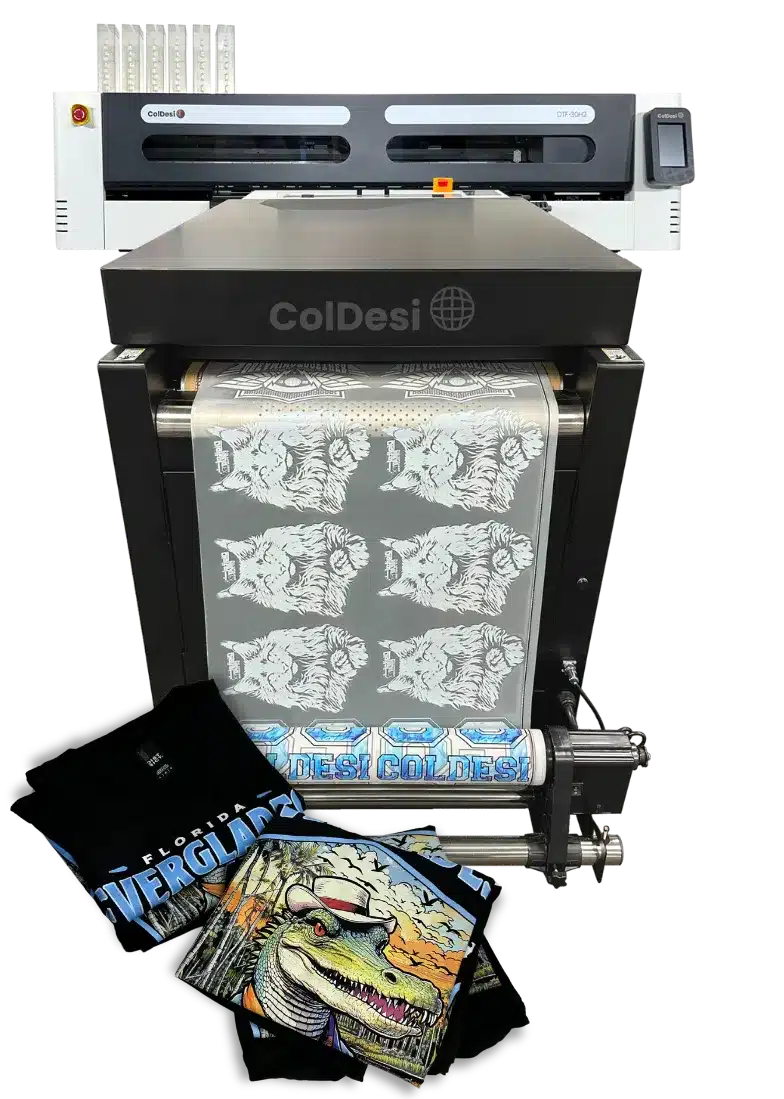
If you’ve been looking at the DTF 24H2 but find yourself wanting a little more print width and production capacity, then the DTF 30H2 is well worth a closer look.
It’s built on many of the same production-focused features as the 24H2 while offering the extra width and output that growing businesses often need. If you’re regularly printing larger orders, oversized graphics, or simply looking to get more work done in less time, the 30H2 was designed with that in mind.
The first thing you’ll probably notice is the expanded 30-inch print width. Under the hood, however, it’s still powered by the same dual Epson i3200 print-head configuration found in the DTF 24H2. The difference is what that extra width allows you to accomplish. The system can produce up to approximately 43 linear feet per hour, which works out to roughly 180 full-size 8 × 10 transfers at an impressive 720 × 1800 DPI. By comparison, the DTF 24H2 tops out at around 100 transfers per hour.
The additional print width makes it an excellent choice for larger production runs and oversized graphics for items like jackets, hoodies, banners, and more. It also gives you the flexibility to gang multiple designs together on a single sheet, helping you get more transfers from every print run while reducing production time and material waste.
Once printed, the finished transfers can be applied to a wide variety of materials, including cotton, polyester, blends, leather, and many other compatible surfaces. Combined with generous 1000 ml ink bags, you can spend more time printing and less time stopping for refills. It’s one of those small conveniences that may not seem like a big deal at first, but it certainly makes busy production days run a little smoother.
Despite its increased production capacity, it’s still worth planning ahead for installation. The complete system measures approximately 69″ × 123.5″ and weighs in at about 1,032.6 lbs.
Like most commercial DTF systems, it’s worth making sure you have enough floor space beforehand to set up the printer.
The ColDesi 30H2 also comes equipped with an Automatic Tension System, often referred to as the Dancer System. Its job is to keep the film feeding smoothly and under consistent tension throughout the printing process. It’s one of those features that’s easy to overlook, but it plays an important role in maintaining consistent print quality and helping reduce the chances of feeding issues during longer production runs.
Altogether, the DTF 30H2 offers a compelling balance of print width, production speed, and reliability for businesses that have outgrown smaller systems and are ready to increase their output without compromising print quality.
ColDesi DTF 24H5
(Best For: High-Volume Production Facilities)

At this point, we’re no longer talking about getting into DTF printing or even growing your business. We’re talking about maximizing production.
This isn’t the kind of printer you buy because you hope orders will come in. It’s the kind of printer you invest in because they already are.
Designed for high-volume production environments, the 24H5 combines a 24-inch print width with five industrial Epson i3200 piezoelectric print heads. Whether you’re fulfilling large contract orders, supplying other decorators with transfers, or simply running the printer from 9 to 5, it’s designed for that kind of workload.
Its production capacity is where the 24H5 really earns its place in the lineup.
Capable of producing up to 160 linear feet of transfers per hour, or roughly 400 standard 8″ × 10″ transfers, it gives busy shops the ability to process significantly more work in the same amount of time. That means large orders move through production faster, while leaving room in the schedule for the next projects.
A big reason for that performance is the printer’s five industrial Epson i3200 piezoelectric print heads that work together. Instead of asking one or two print heads to do all the work, the workload is shared across five. That means higher print speeds, greater ink throughput, and consistent image quality from the first transfer to the last. It also reduces the mechanical stress placed on each individual print head, making the system better suited for the kind of day-in, day-out production commercial shops demand.
The same thinking carries over to the ink system. Large 500 ml ink bottles mean fewer refill interruptions, so your team can spend more time printing and less time stopping to top off ink during busy shifts.
Of course, speed only gets you so far if the finished transfers don’t look exceptional.
That’s where the Expanded Color Gamut option comes into play. By adding Orange and Green inks alongside traditional CMYK and White, the 24H5 can reproduce a broader range of colors with richer saturation, smoother gradients, and more accurate tonal transitions. If you’re printing photographic images, complex artwork, or brand-sensitive graphics where color accuracy matters, it’s a difference you’ll notice.
Naturally, a production system of this caliber requires room to work. The complete setup measures approximately 151″ × 78″ and weighs in at roughly 1,200 pounds. It’s certainly not a desktop printer. But if you’re operating at the level the 24H5 was designed for, chances are you’ve already planned for equipment like this.
The 24H5 represents the top end of ColDesi’s DTF lineup. It’s designed for businesses where high production isn’t an occasional need, but part of the everyday workflow.
And that’s really what you’re investing in.
ColDesi DTF 24H5E
(Best For: Enterprise-Level Production)

Think the 24H5 is impressive? The 24H5E takes it even further.
From the start, the 24H5E was designed as an upgraded version of the 24H5. It keeps everything people already like about the original while adding thoughtful enhancements that make day-to-day production smoother, faster, and more reliable.
So what’s different in this new version?
At the core of the 24H5E are three major enhancements: the 24POWE Extended Dryer System, an Advanced Pre-Heating Chamber, and a fully automated wet-capping system. Together, these upgrades improve printer reliability, streamline workflow, and deliver more consistent output.
The 24POWE Dryer features a built-in fume extraction system, eliminating the need for additional external ventilation units.
This integrated design efficiently filters airborne particles and odors, creating a cleaner, safer, and more comfortable workspace.
To maintain precision throughout every production run, the 24H5E is equipped with a fully automated dancer bar system on both the printer and dryer.
Powered by advanced sensors, the system continuously adjusts to maintain optimal film tension—preventing slack, stretching, or wrinkling and ensuring flawless alignment and consistent, high-quality output.
This automation eliminates manual adjustments and significantly reduces production errors.
And when it comes to performance, the numbers speak for themselves.
Featuring a 24-inch print width and five advanced Epson i3200 print heads, the 24H5E delivers outstanding speed, precision, and reliability for high-volume production environments. In real-world output, it produces 500+ transfers per hour and over 275 linear feet of printed film.
Finally, like the 24H5, the 24H5E goes beyond standard CMYK output. It features an Expanded Color Gamut option with CMYKOG + White (Cyan, Magenta, Yellow, Black, Orange, Green) for richer color and enhanced print results.
In other words, the 24H5E is cruise control for DTF production.
Here's What DTF Printer Owners Are Saying...
Cornelius Miree reports his highly positive experience with ColDesi, highlighting their friendly and helpful staff, satisfaction with the compact DTF 12H2 Printer, and excellent customer support that quickly resolved his initial issues. He confidently recommends ColDesi to others considering the purchase.
Christine Lopez had a highly positive experience with ColDesi, praising their customer service, especially Holly, for being knowledgeable, attentive, and helpful in guiding her business purchases.
She is particularly satisfied with the DTF transfers and appreciates the company’s expertise and supportive approach, which helped her make informed decisions for her business growth.


